Biometric device integration
Thumb punches are collected from Hikvision, ZKTeco and many other biometric devices, so nobody re-types time sheets.

Chronos is workforce management software developed by TALSAQ. It collects the thumb punches from your biometric attendance devices, such as Hikvision and ZKTeco, and shows whether each employee came on time, late or worked overtime. With rotating shifts, daily, weekly and monthly rosters, and leave, it turns every punch into records that are ready for payroll.
Last updated
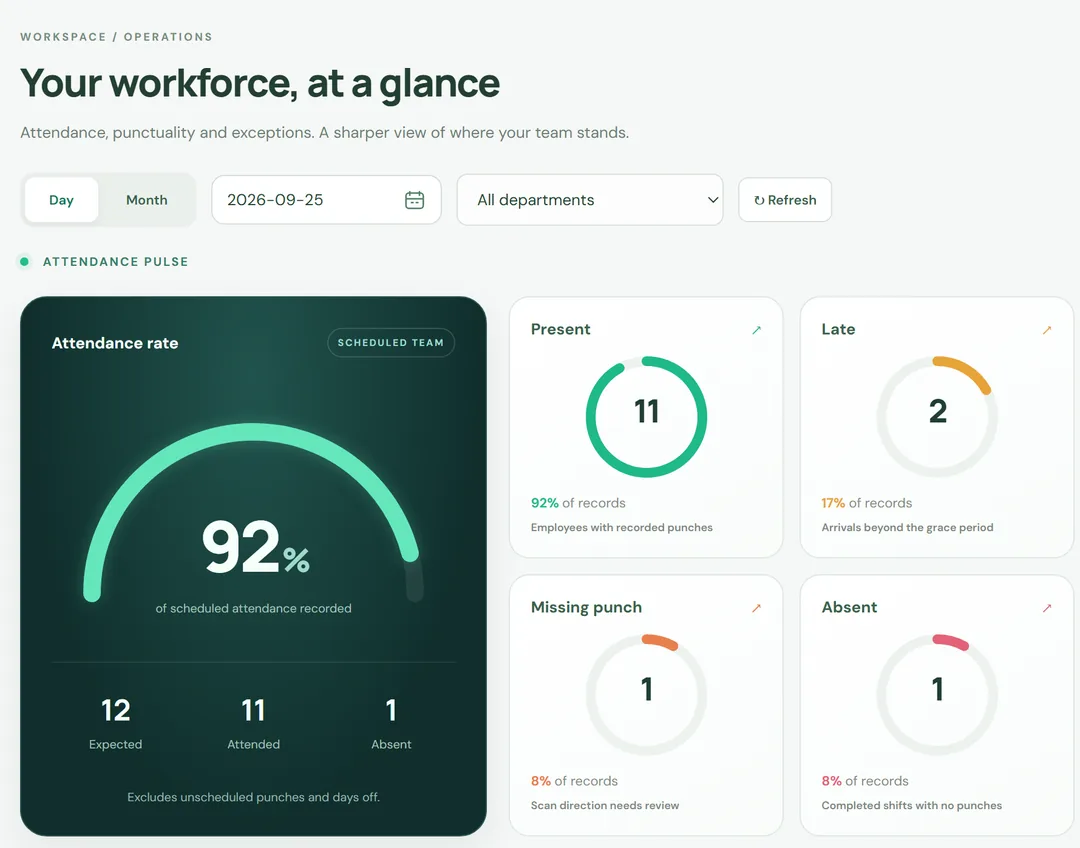
Chronos is workforce management software that works from biometric attendance data. Employees punch in and out with their thumb on a fingerprint device; Chronos collects those time records, applies each employee’s shift and attendance rules, and produces the attendance, hours and overtime figures that HR and payroll need.
Chronos is for organizations that record attendance on biometric fingerprint devices, such as offices, factories, schools and hospitals, and want the numbers worked out for them.
Thumb punches are collected from Hikvision, ZKTeco and many other biometric devices, so nobody re-types time sheets.
Fixed and rotating shifts, with daily, weekly or monthly rosters for each team or employee.
Each day is marked on time, late, early departure or overtime, and missed punches are flagged.
Extra hours are worked out from the punches and your overtime rules.
Leave, public holidays and absences are recorded, so every day is accounted for.
Daily, monthly and per-employee reports for HR, managers and payroll.
Real screens from Chronos, shown with demo data. Select a screenshot to see it full size.
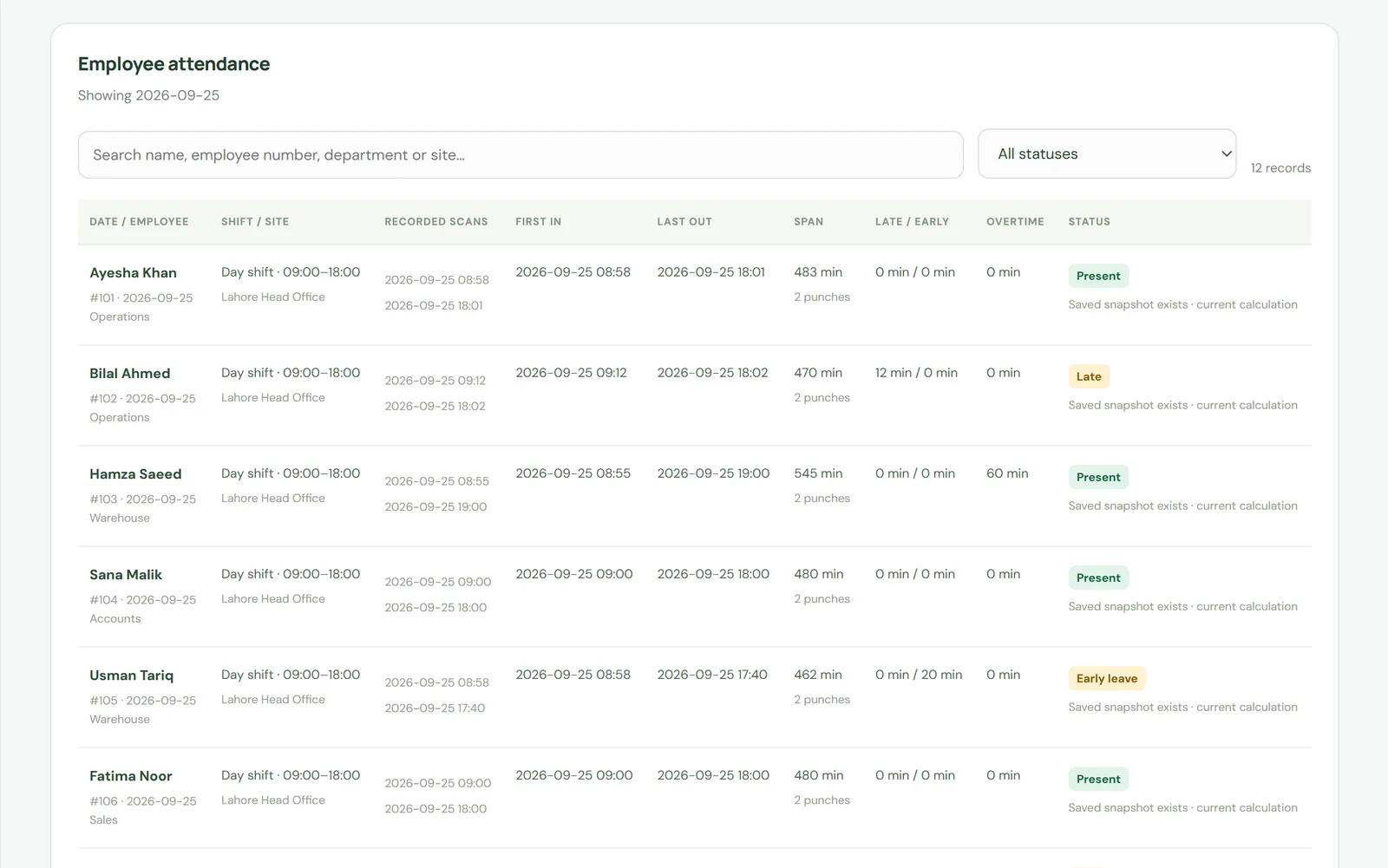
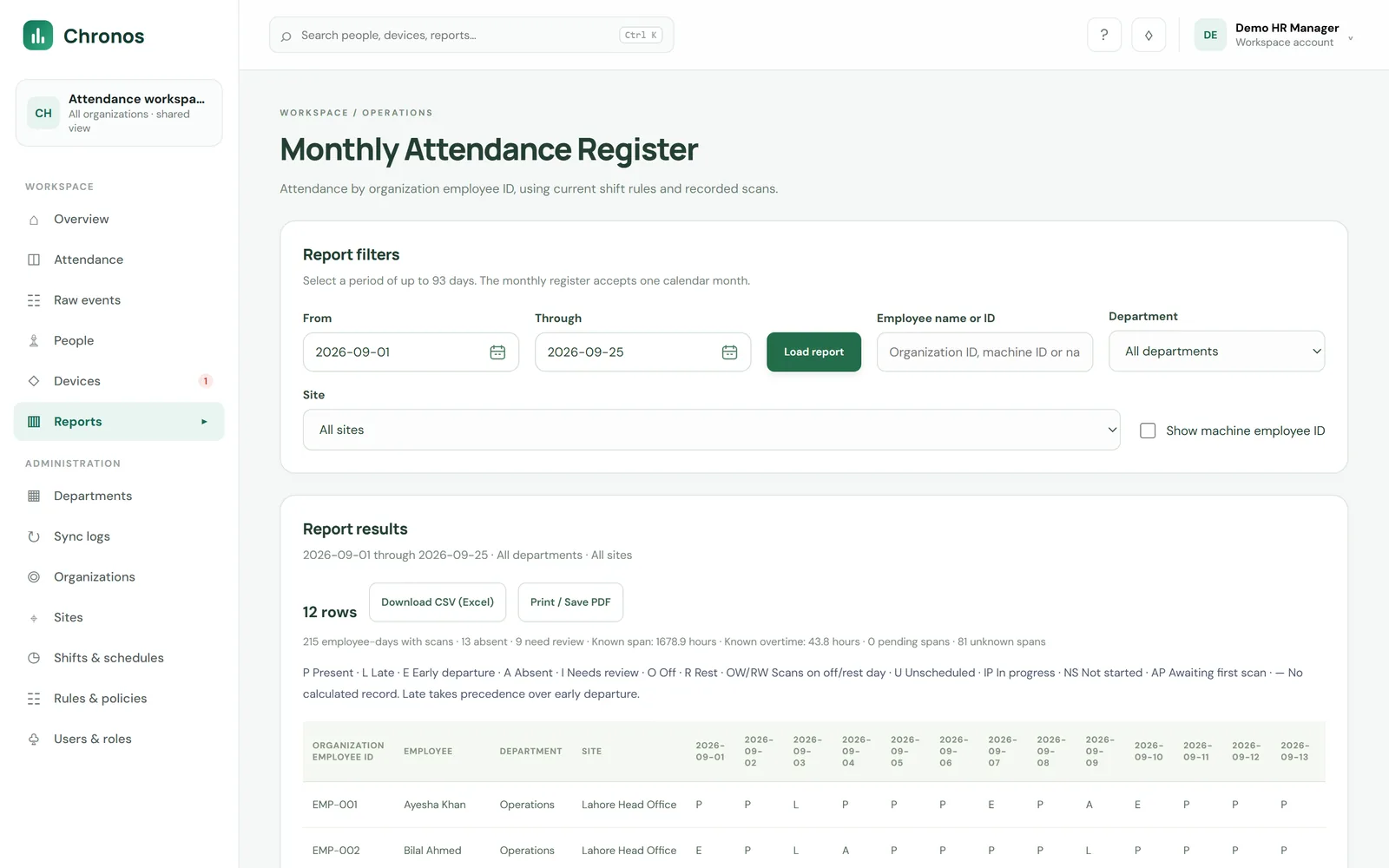
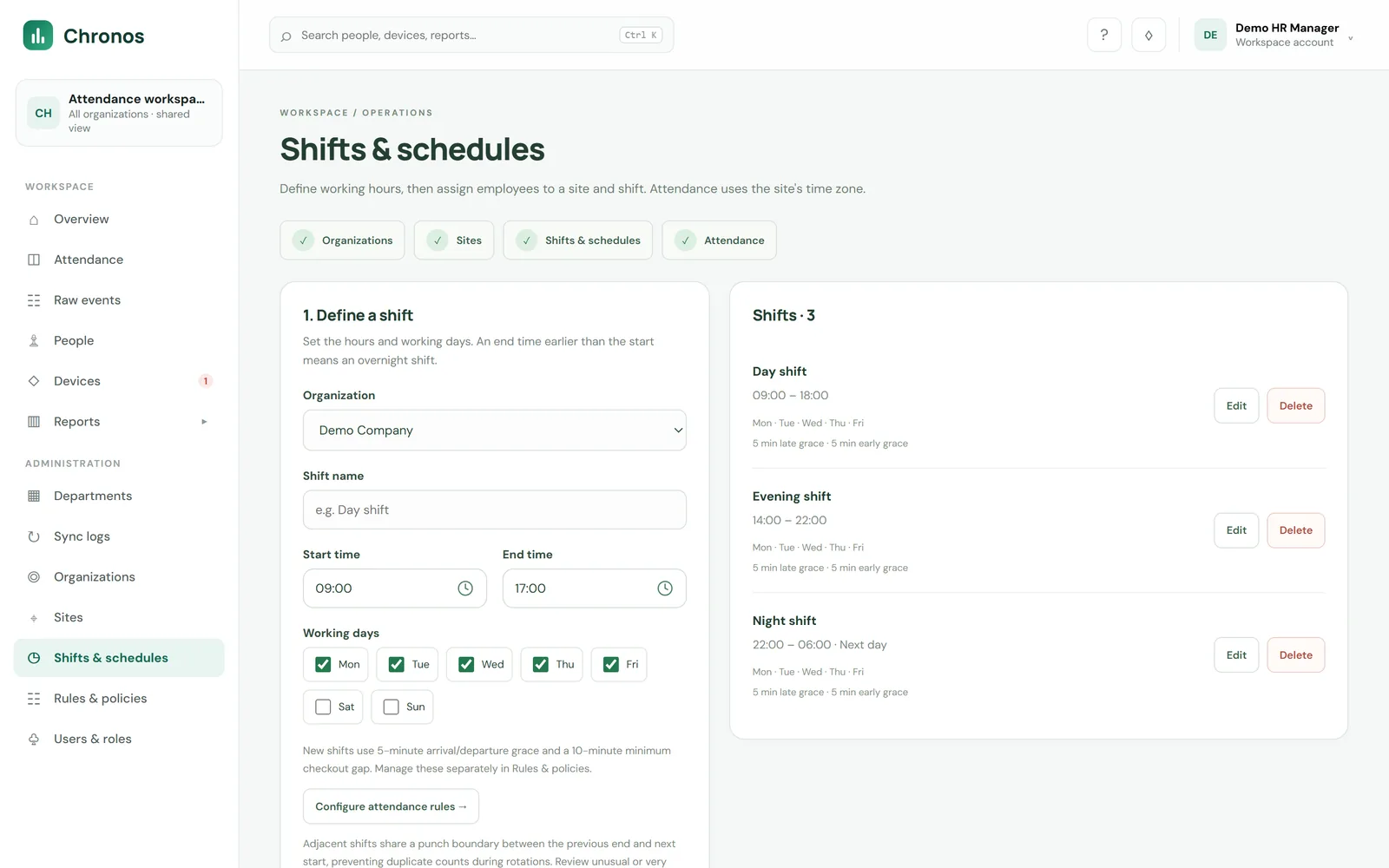
Chronos follows 4 steps: punch, collect, process and report.
Employees punch in and out with their thumb on the biometric device.
Chronos collects the punches from each device.
Shifts, rosters and rules mark each punch on time, late or overtime, and total the hours.
HR and managers get attendance reports that are ready for payroll.
Because our own engineers build Chronos, we can set it up around your shifts and HR policies, and support it directly.
Every TALSAQ product is developed and supported by our own engineers in Lahore. See all products.
An AI-based smart point of sale system for retail and service businesses: checkout, stock and customers in one place.
Point of sale for car and bike showrooms and maintenance workshops: vehicle sales, job cards, spare parts and service history.
Connects Loyverse, other POS systems and custom POS software to the Punjab Revenue Authority, with a PRA number and QR code on every receipt.
Responsive accounting software for sales, expenses, banking, inventory, payroll, tax and financial reports.
Chronos is workforce management software built by TALSAQ. It collects thumb punches from biometric attendance devices and turns them into attendance, working hours, late arrivals, overtime and leave records, with reports that are ready for payroll.
Chronos works with Hikvision, ZKTeco and many other biometric attendance devices. Tell TALSAQ the make and model of your devices and TALSAQ will confirm compatibility, or recommend devices if you are starting fresh.
Yes. Chronos applies each employee’s shift, grace period and overtime rules to their punches, and marks every day as on time, late, early departure or overtime automatically, with short hours and missed punches flagged.
Yes. Chronos handles fixed and rotating shifts, and rosters can be planned daily, weekly or monthly for each team or employee.
Yes. Because TALSAQ builds Chronos in-house, shift patterns, grace periods, overtime rules and reports can be set up around your HR policies.
Request a demo through the TALSAQ contact form or email contact@talsaq.com, and TALSAQ will arrange a walkthrough.
Book a walkthrough and we will show you how Chronos would work for your business.
Or call +92-339-0825727 or +92-339-0TALSAQ