Real-time invoice reporting
Each sale is sent to PRA as it is made, with the invoice details PRA asks for.

TALSAQ integrates point of sale systems with the Punjab Revenue Authority (PRA). Each sale is reported to PRA as it happens, and the receipt is printed with the PRA invoice number and a QR code, so businesses in Punjab can meet PRA’s POS integration requirement without changing how they sell. TALSAQ has integrated PRA with Loyverse, many other POS systems and custom-built POS software.
Last updated
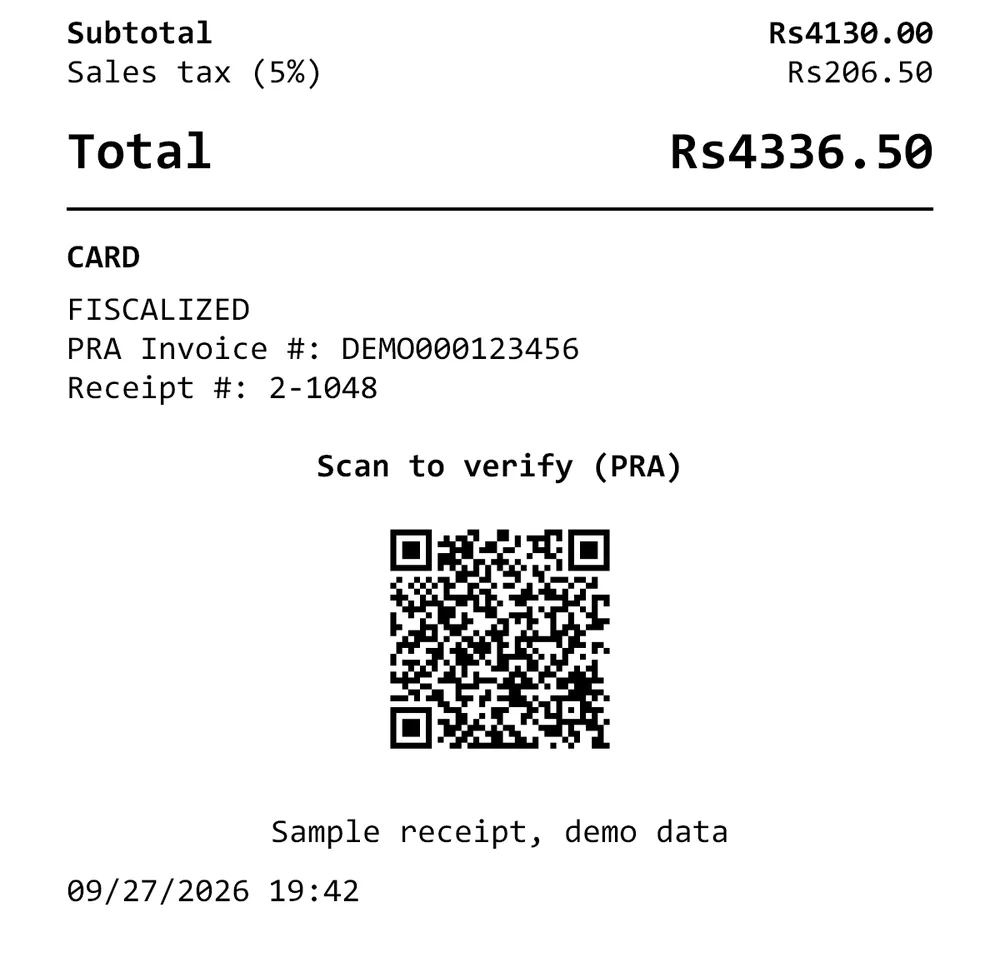
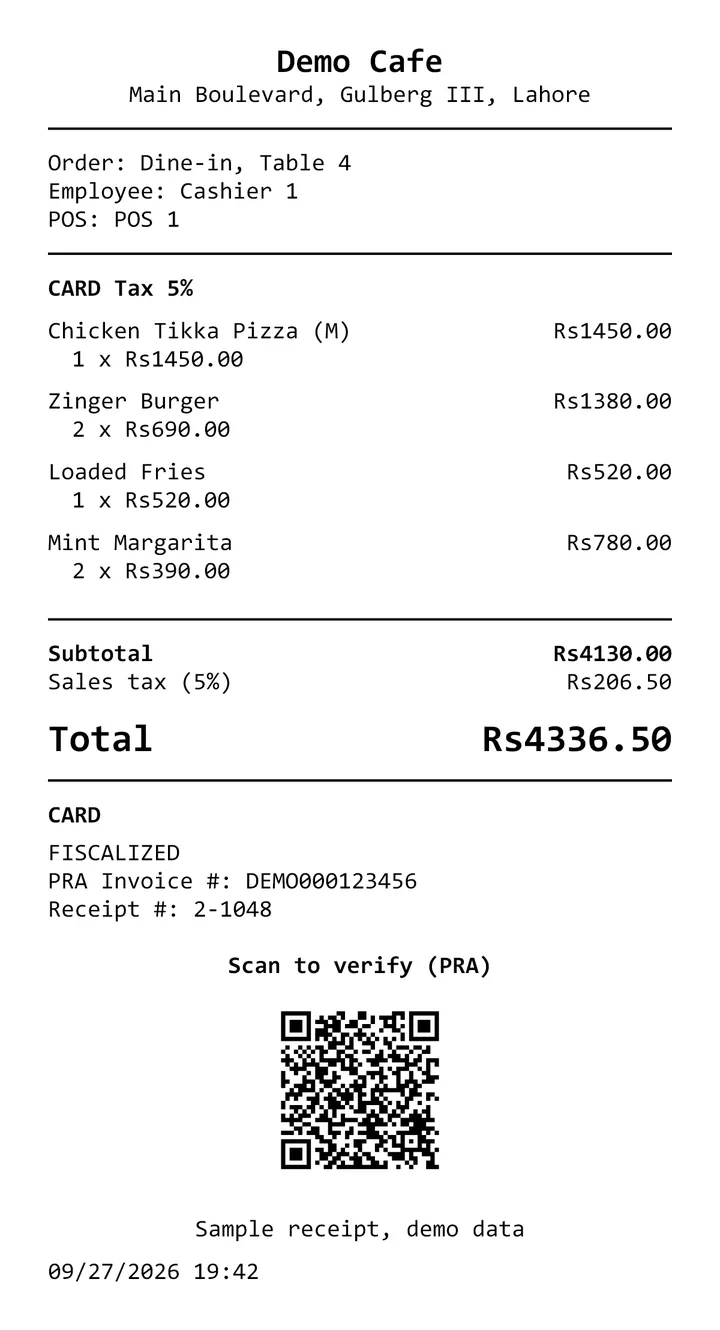
PRA POS integration connects a business’s point of sale system to the Punjab Revenue Authority, which collects sales tax on services in Punjab. Each invoice is reported to PRA in real time, and PRA returns an invoice number that is printed on the customer’s receipt with a QR code for verification.
PRA POS integration is for businesses in Punjab that the Punjab Revenue Authority requires to report their sales through an integrated point of sale system.
Each sale is sent to PRA as it is made, with the invoice details PRA asks for.
Receipts print the PRA invoice number and a QR code that customers can scan to verify.
The applicable Punjab sales tax on services is calculated and shown on each receipt.
If the internet drops, invoices are queued and sent to PRA when the connection returns.
Reported invoices and tax totals are kept, ready for your accountant and tax returns.
Loyverse, many other POS systems and custom POS software; cashiers keep selling as before.
Real screens from PRA POS Integration, shown with demo data. Select a screenshot to see it full size.
PRA POS Integration follows 4 steps: sale, report to pra, pra number and receipt.
The cashier completes the sale in the POS as usual.
The invoice is sent to PRA’s system in real time.
PRA returns an invoice number for that sale.
The receipt prints with the PRA invoice number and a QR code.
TALSAQ has integrated PRA with Loyverse, many other POS systems and custom-built POS software. It can also connect other popular POS systems used in Pakistan and worldwide, after a short review of how each one shares its sales data.
Product names are trademarks of their owners. TALSAQ is not affiliated with or endorsed by them.
TALSAQ handles the integration end to end, from reviewing your POS to the first PRA-numbered receipt, and supports it afterwards.
Every TALSAQ product is developed and supported by our own engineers in Lahore. See all products.
An AI-based smart point of sale system for retail and service businesses: checkout, stock and customers in one place.
Point of sale for car and bike showrooms and maintenance workshops: vehicle sales, job cards, spare parts and service history.
Responsive accounting software for sales, expenses, banking, inventory, payroll, tax and financial reports.
Workforce management that takes thumb punches from biometric devices and turns them into attendance, hours and overtime.
PRA POS integration connects a business’s point of sale system to the Punjab Revenue Authority (PRA). Each invoice is reported to PRA in real time, and the receipt is printed with a PRA invoice number and a QR code that customers can scan to verify it.
The Punjab Revenue Authority decides which service providers must integrate their POS, and announces this through its notifications. If PRA has asked your business to integrate, or you are unsure whether it applies to you, TALSAQ can review your situation and set up the integration.
Yes, in most cases. TALSAQ has integrated PRA with Loyverse, many other POS systems and custom-built POS software. TALSAQ first reviews your POS and builds the integration; if a system cannot be connected, TALSAQ can move you to one of its own POS systems with PRA reporting built in.
TALSAQ has integrated PRA with Loyverse, many other POS systems and custom-built POS software. It can also connect other popular POS systems used in Pakistan and worldwide, such as Odoo POS, Oracle MICROS Simphony, Microsoft Dynamics 365, Candela RMS, Shopify POS, Square, Lightspeed, Clover, Toast and Revel Systems, after a short review of how the system shares its sales data.
Yes. TALSAQ integrates Loyverse POS with the Punjab Revenue Authority, so each Loyverse sale is reported to PRA in real time and the receipt carries the PRA invoice number and QR code.
Sales carry on. Invoices made while offline are queued and sent to PRA automatically when the connection returns.
No. Cashiers keep using the POS as before. Reporting to PRA happens in the background, and the visible change is the PRA invoice number and QR code on the receipt.
Tell us which POS you use, and we will explain how PRA integration would work for your business.
Or call +92-339-0825727 or +92-339-0TALSAQ